An Odd Game About Sausage Getting Started Guide
Install, demo, first tosses, and gallery habits before the hard props arrive.
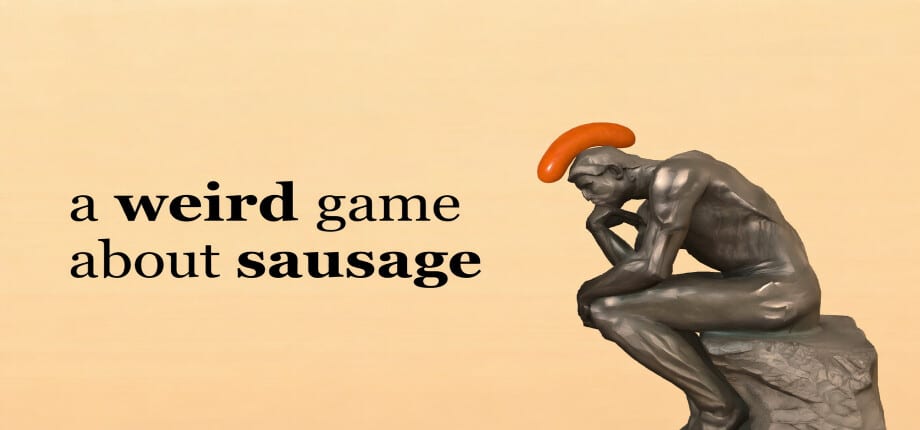
This guide gets you from Steam library to a comfortable first hour in An Odd Game About Sausage (Steam store title: a weird game about sausage). Madman’s Cheese shipped the full release on 2026-05-21 for $2.99, with a demo still available. The fantasy is simple: left-click tosses a soft sausage; land it on the target object. The reality is soft-body chaos, tiny platforms, and a gallery that quietly tracks every clear across roughly 102 main levels plus extras.
Install from Steam
Open the Steam store page for app 4691990, install the demo or the full game, and launch. This is a single-player physics clicker with no multiplayer modes. Confirm your display settings early; later patches added V-Sync (V1.2.2), which helps if the sausage feels like it is jittering on high-refresh monitors. If you play on Steam Deck, the title is Steam Deck Verified — still read Controls for Escape / menu habits and click comfort.
After launch you should see a short onboarding feel rather than a long tutorial dump. The game trusts you to click, watch the bounce, and try again. That is intentional. Do not expect RPG menus, loadouts, or daily login loops. Your “progression” is the gallery filling with cleared stages.
Demo versus buy
The demo is enough to learn the click-and-land loop and decide whether soft-body comedy is for you. Buy the full game when you want the complete main campaign (~102 levels), post-completion extra levels, gallery completionism, and achievements (V1.2.1 expanded achievement support). At $2.99 the barrier is low; many players clear the demo then purchase the same evening.
If you already own the full game, skip demo FOMO — your gallery and extras are the long-term goal. Patch V1.2.3 added splash and Bacon tribute polish; if your build is older, verify Steam auto-updates before blaming physics.
What the first hour feels like
Early stages teach scale and settle time. The sausage stretches, compresses, and keeps moving after the click. New players often spam clicks; veterans learn to wait for the meat to settle or to take a second intentional toss. Pair this page with Physics Tips once a bounce looks “almost” right but never quite sticks.
Expect easy wins mixed with sudden difficulty spikes. Props that look friendly can have awkward collision. That is the joke and the skill check. Community threads repeatedly name late walls — hummingbird, glue stick, brick wall, hand, anteater, magnet, balloon, and Extra Level 20 — but those belong to Hardest Levels. In hour one, focus on rhythm: aim, click, observe, adjust.
Gallery tracking
The gallery is your checklist. Each clear registers so you can see what remains. Use it after a session to spot gaps instead of replaying stages you already finished. When the main set is done, extras unlock — covered in Extra Levels. Treat the gallery as the true map of the campaign; the Full Walkthrough explains how ~102 stages are paced if you want a structured clear.
Practical first-hour checklist
- Install demo or full game; confirm it is updated through at least the V1.2.x line if you care about physics and V-Sync fixes.
- Complete a handful of early clears without watching spoilers.
- Open Controls if Escape, right-click, or Deck input feels wrong.
- When a bounce refuses to settle, read Physics Tips.
- Bookmark the Guides Hub for later hard stages and extras.
Mindset and expectations
An Odd Game About Sausage is a tribute to mobile Bacon – The Game, not a narrative adventure. Humor comes from failed tosses as much as clean landings. Reviews sit around Very Positive (~86% of ~400) because the loop is short, the price is fair, and the physics remain readable after patches. Frustration usually means you need a smaller adjustment — angle, delay, or patience — not a new build.
Do not grind the same failed approach fifty times without changing something. Change click timing, wait for stretch to resolve, or step away for a minute. Soft bodies reward observation. When you are ready for campaign structure and chaptered videos, continue to the Full Walkthrough. When a named nightmare stage appears, open Hardest Levels.
After the first hour
You should know: left-click tosses, landing on the target clears the stage, the gallery tracks progress, and the demo samples the loop. Next skills are input comfort and physics literacy. Everything else — extras, Extra Level 20, achievement hunting — waits until the main gallery is mostly full. Stay curious, keep tosses intentional, and use this wiki when a prop stops being funny and starts being personal.
Frequently Asked Questions
Quick answers to the most common questions.
Should I buy the full game or try the demo first?
Try the demo if you are unsure about soft-body physics comedy. Buy the $2.99 full game when you want the complete ~102-level gallery, extras, and achievements.
Is there multiplayer?
No. An Odd Game About Sausage is single-player only. Share clips with friends; every toss is solo.
What does the gallery do?
It tracks which stages you have cleared so you can see remaining main levels and, after completion, work through extras.
Why does the sausage keep moving after I click?
It is a soft body. Momentum and stretch continue after the toss — learn settle timing in the Physics Tips guide.
Is the game Steam Deck Verified?
Yes. Still review the Controls page for menu and click comfort on handheld.